Automatic Elliott Wave counts are now free
The terminal's automatic Elliott Wave count — across 24 pattern templates, with a quality score on the chart — is now free and works without an account. The tools for taking a count apart stay Premium.
Keeping a promise
Our pages said automatic Elliott Wave counting was part of the free core. The terminal still treated it as Premium: the menu item showed a lock, and switching it on did nothing without a subscription. Rather than change the pages, we changed the terminal. From today the count is free for every account, and for visitors who haven't signed up.
What you get for free
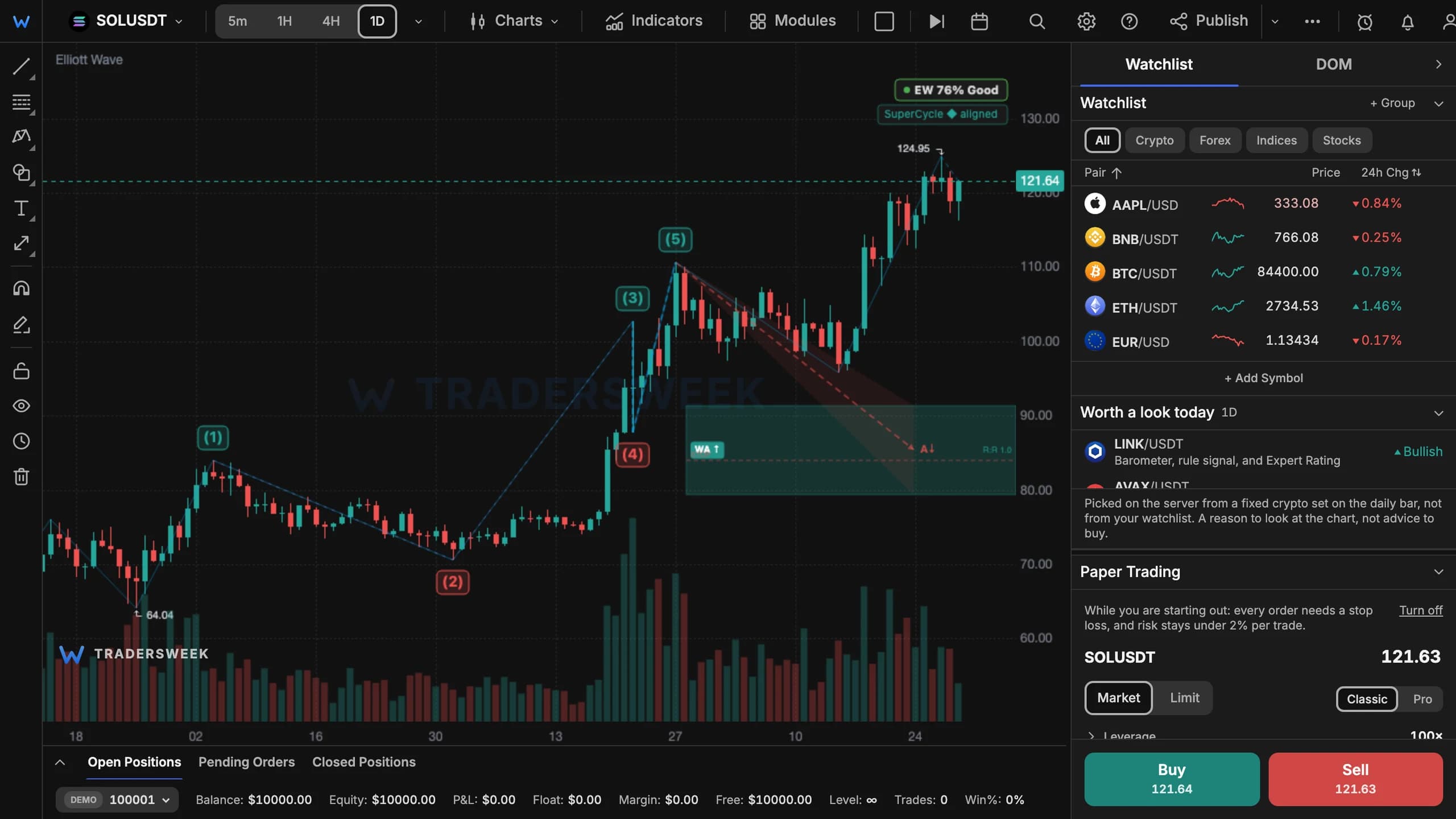
Open Modules → Elliott Wave in the terminal and it counts the waves on the candles in front of you:
- the leading count across 24 pattern templates — impulses, leading and ending diagonals, zigzags, flats, triangles, double and triple combinations;
- wave labels in the Prechter notation, sized by degree, so the larger structure reads first;
- a quality score for the count, right on the chart;
- the same notation for waves you draw by hand, with a degree selector in the drawing settings.
The analysis only runs once you switch the module on, so it adds nothing to the chart until you ask for it.
What stays Premium
The free count gives you the answer. Checking it stays Premium:
- the layers on top of the count — channels, Fibonacci target clusters, the Fire Map, trade setups and all competing scenarios at once;
- the EW Inspector — the scenario tree, the rules each count passes or breaks, the written commentary, Wave Finder and replay;
- the analysis settings — ZigZag at Fine, Normal or Coarse resolution, or Gann swings as the source of pivots;
- the EW Scanner, which looks for setups across many symbols at once.