Stop sitting at the chart waiting for your level.
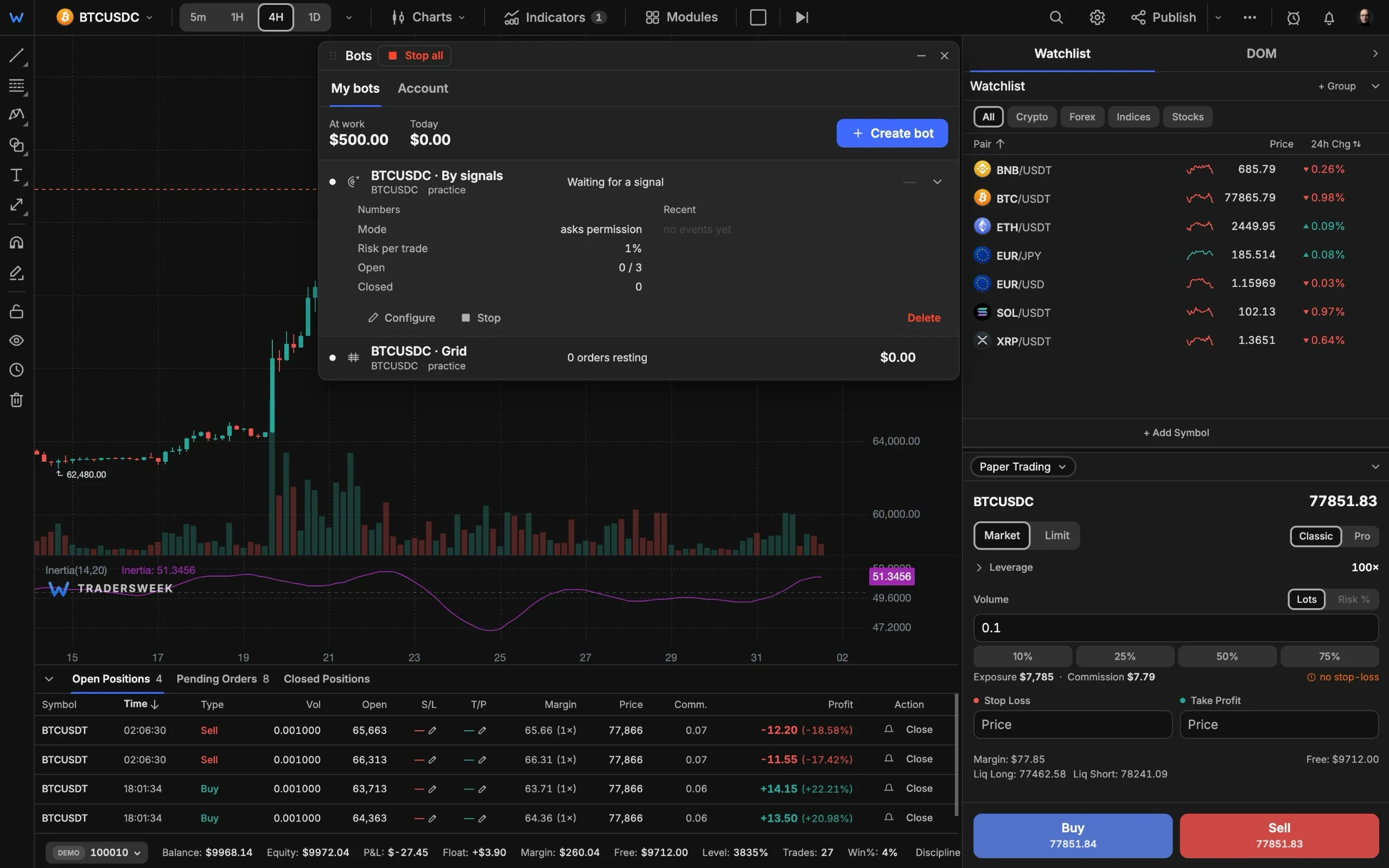
Four bots take over the waiting: webhook alerts from TradingView, signals from the built-in scanner, DCA averaging and grid ladders. Connect Binance, Bybit or OKX by API key, or run everything against your paper account first.
- Proplan
- 4bots
- Paper first, live when ready
Four ways to hand over the waiting
Two bots route straight to your exchange, two run engines on our servers. All four can rehearse on paper first.
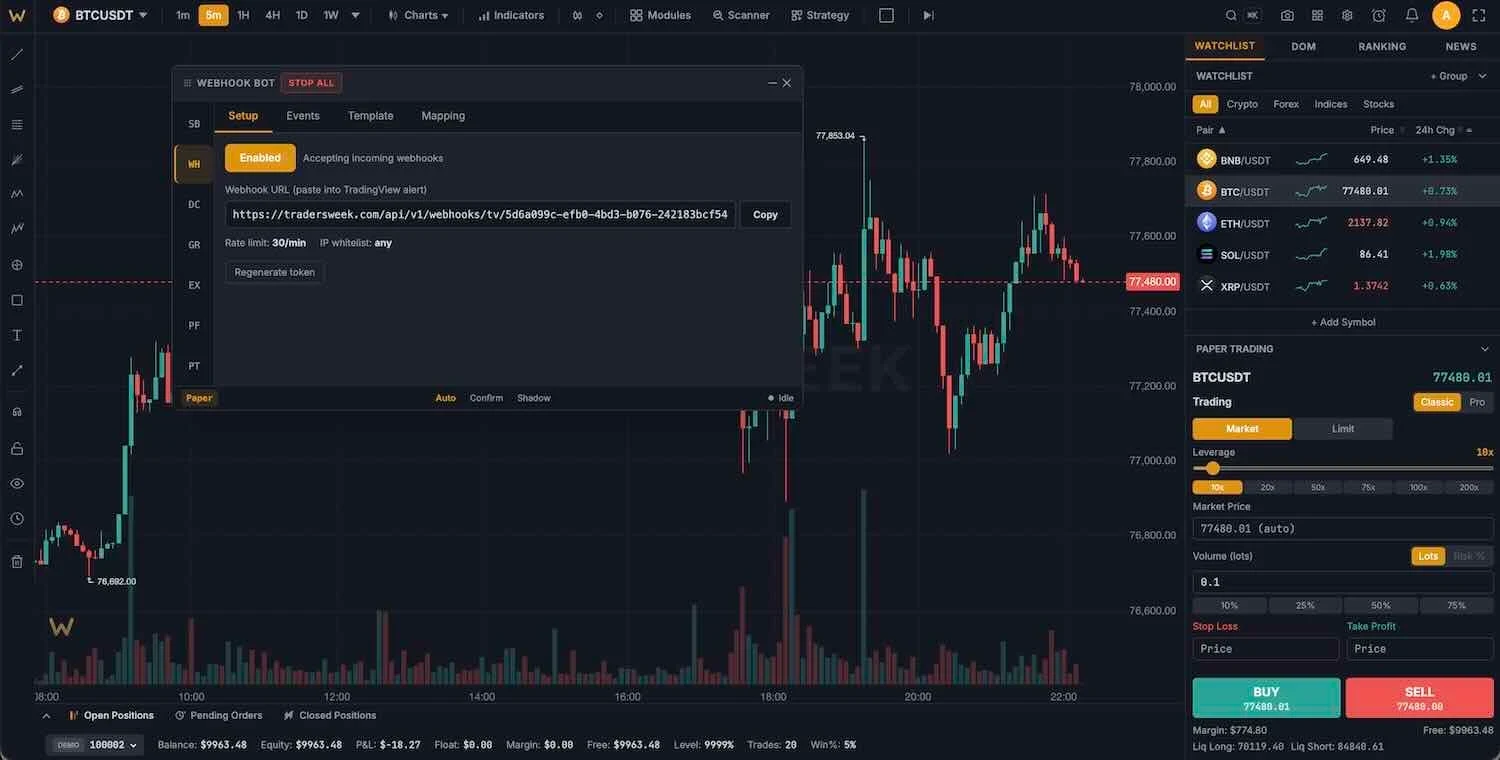
Webhook and signal bots
The webhook bot turns TradingView, 3Commas or Cornix alerts into orders through a personal token URL, with a Telegram ping on every signal. The signal bot trades the built-in scanner: 7 strategy profiles, a trading schedule with cooldowns, and three modes: auto, confirm before entry, or shadow.
- TradingView alert presets
- Auto, confirm or shadow modes
- Telegram notifications
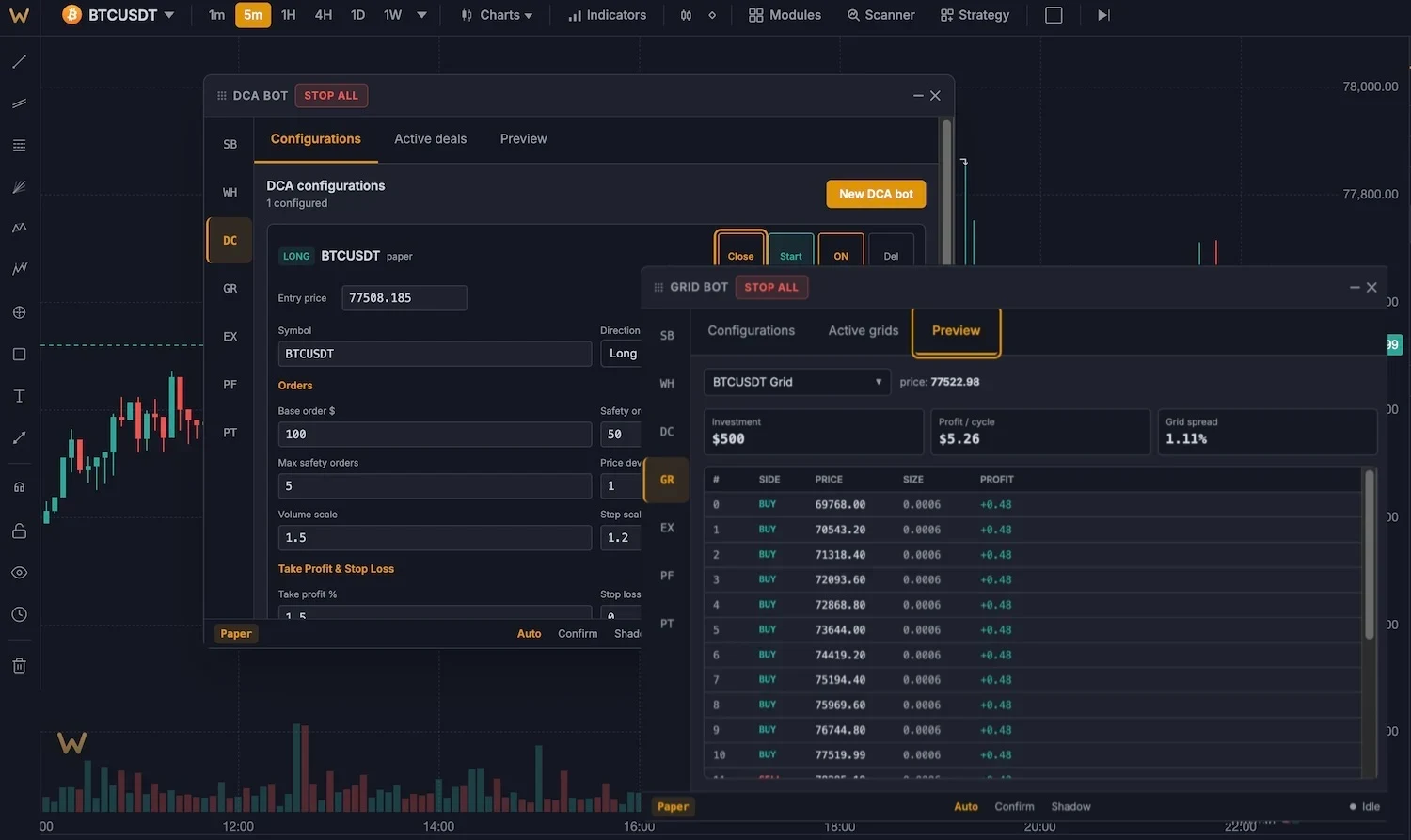
DCA and grid bots
Server-side engines that keep working with your browser closed. DCA: up to 25 safety orders with scaled steps and a trailing take-profit, formulas compatible with 3Commas. Grid: 5 to 200 levels, arithmetic or geometric, long, short or neutral, with an ATR hint for the range.
- 25 safety orders with scaling
- Up to 200 grid levels
- Runs with the browser closed
bots that place real orders
Connect Binance, Bybit or OKX with an API key. Keys are stored encrypted (AES-256-GCM), withdrawal permissions are never required, and stop-loss and take-profit sit on the exchange itself.
Control center for all bots
One dashboard
Start, stop and monitor every bot, with performance unified across exchanges.
Emergency stop
One click cancels open orders and closes positions across all connected exchanges.
Shadow mode
Run any bot on paper with the same logic before letting it touch the exchange.
Exchange-side protection
SL and TP are placed on the exchange together with the order, so protection survives your connection.
Risk limits
Max positions, daily loss limit and per-trade rules per bot. One bot per symbol, enforced.
Testnet first
Exchange testnet keys work, so the full flow can be rehearsed with fake funds.
Launch a bot in three steps
- 01
Choose a bot type
Webhook, signal, DCA or grid in the Bots panel (Ctrl+Shift+B).
- 02
Connect or stay on paper
Add an exchange API key for live routing, or keep everything on the $10K paper account.
- 03
Start in shadow mode
Watch the bot's decisions with zero risk. Flip to live when the log convinces you.
Does it trade real money?
Are my API keys safe?
Do bots run when I close the browser?
Can I use TradingView alerts?
Which plan do I need?
Automate your edge
Four bot types, real exchange execution, shadow mode for a safe start. Pro plan, $30 a month.