Elliott Wave: free 24/7 alerts, count history, wave ratios and the Elliott Oscillator
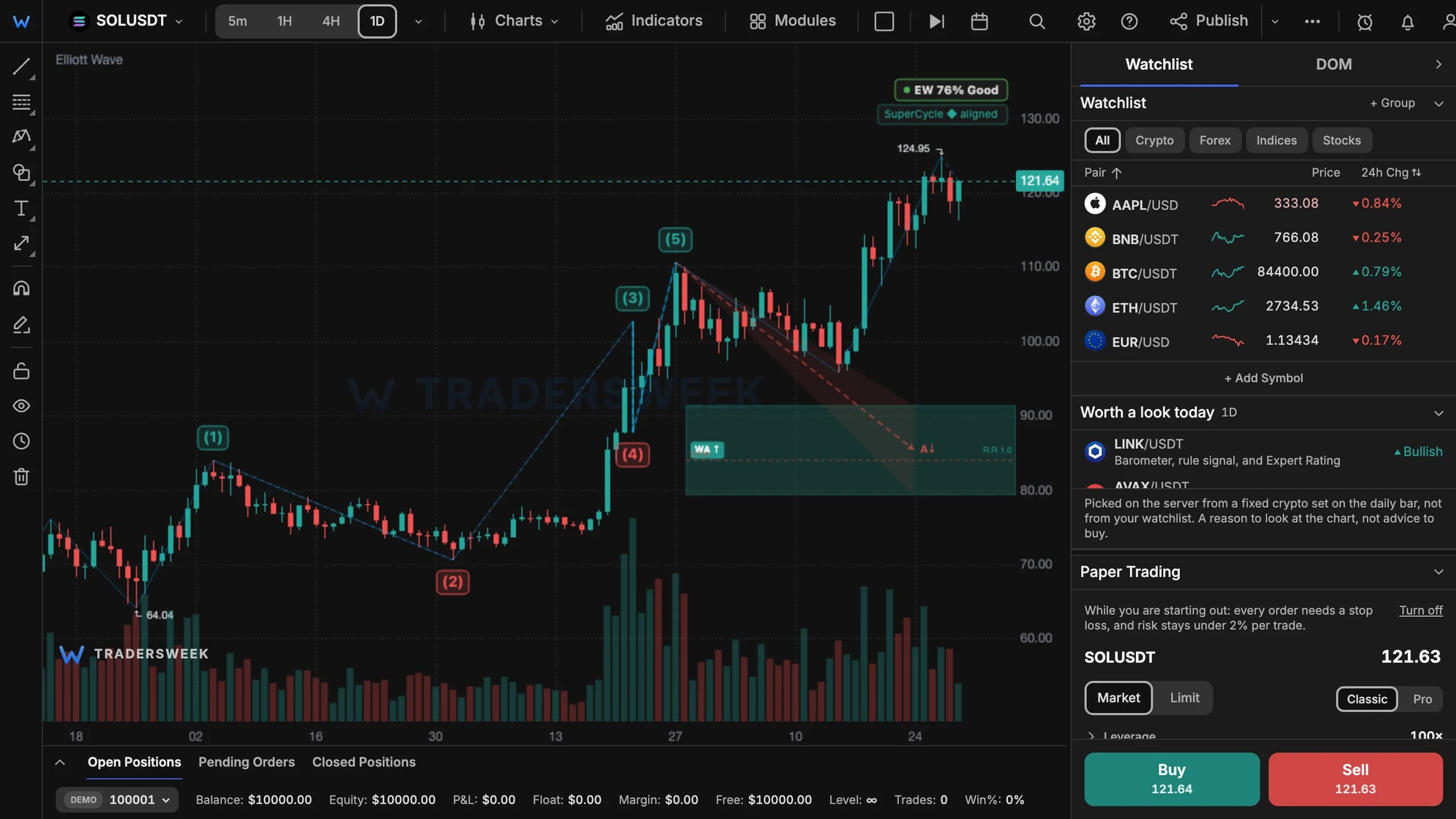
The free Elliott Wave count can now alert you from our server when it breaks, reaches its target or finds a new setup. It also shows how often the main count has changed, prints wave ratios on the chart, filters wave degrees, adds the 5/35 Elliott Oscillator and says plainly when a market has no clear structure.
Alerts on the count, free
The alert dialog has an Elliott Wave type with three events. Our server evaluates the main count at every closed bar on 1h, 4h or 1d, the same count you see on the chart:
- Count broken — price broke the count's invalidation level;
- Target reached — price reached the forecast target zone;
- New setup — a new wave-based trade with entry, stop, target and risk/reward. A setup seen in the last 12 bars doesn't count as new.
The swing threshold scales with the asset class, so forex, metals and indices are counted at a sensible resolution. Elliott Wave alerts are free; your plan's usual alert limit applies.
How stable is the count?
Main count history marks on the chart every bar where the main count changed and summarises it: how many times it changed over the visible bars, and how long the current count has held. A count that keeps flipping deserves less trust than one that has held for weeks — now you can see which you are looking at.
More on the chart
- Wave ratios print each wave's Fibonacci relationship to its neighbours right on the count.
- Wave degrees sets the highest and lowest degree of subwaves to draw.
- Elliott Oscillator (5/35) marks the oscillator peak that confirms wave 3 and divergences in wave 5 or wave C.
- No clear wave structure appears in the legend when the engine can't find a convincing count, instead of forcing one; in Wave Finder (Premium) you can hide such markets.
- ZigZag line and Wave lines can be switched off while the labels stay, and both choices survive a reload.
All of this is in the free Display settings of the Elliott Wave window — open Modules → Elliott Wave in the terminal.