Chart templates in your account, a candle countdown and right margin in bars
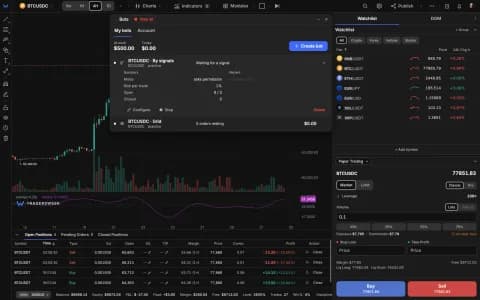
Chart templates now live in your account and follow you to every browser and device. A countdown under the price label shows how long the current candle has left, the space to the right of the last bar is set in bars, and indicator sync across devices works again.

Templates that travel with you
Chart templates used to live in the browser where you saved them. They are now stored in your account — up to 100 — so a layout you build on your desktop is waiting on your laptop and phone. Save and load them from Chart templates as before.
While we were there, we found that syncing indicator settings between devices had stopped saving changes after the first one. That is fixed: indicators you add or tune on one device now show up on the others.
Time left on the candle
A countdown now sits under the last price label on the price scale, showing how long the current candle has until it closes. It counts from the bar's actual open time, so it stays right on sessions and odd timeframes.
Room to the right, in bars
The Right Margin setting is now measured in bars — 10 by default — so there is always space after the last candle for projections, targets and labels, and you can scroll further into the future than before. Try it in the terminal.