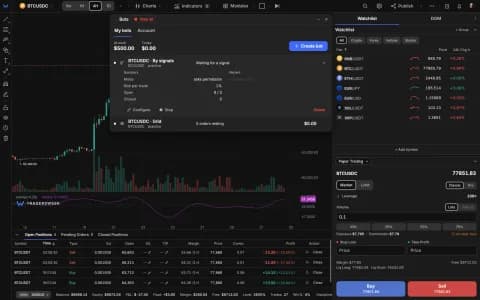
Modules keep running with their window closed — you decide with one eye icon
Closing a module's window no longer has to switch the module off. An eye icon in the Modules menu decides: lit, the module keeps drawing on the chart and sending alerts with its window closed. Order Flow and Patterns now switch on and off like every other module, and modules remember their state after a reload.

A window is not the module
Until now, closing a module's window switched the module off: its drawings left the chart and its alerts stopped. That made sense for a quick look and none at all for a module you want running all day without its panel in the way. Every module you have access to now has an eye icon in its row of the Modules menu:
- Off (the default): closing the window switches the module off, as before.
- Lit: closing the window keeps the module drawing on the chart and sending its alerts. Put the eye out while the window is closed and the module stops.
Your choice is remembered after a reload. Modules you don't have access to show a lock instead of the eye.
What comes with it
- Ichimoku Pro and Expert Pro alerts run while the module is on and the tab is open, even with the window closed — before, they stopped when you closed the panel.
- Order Flow and Patterns now have their own on/off switch like every other module, and keep your setup while switched off.
- Smart Money, Cycles, Gann Tools Pro and Elliott Wave remember whether they were on after a reload, and Elliott Wave's display settings live in its own window.
- On phones, modules behave as on desktop: Patterns opens properly, Script Converter is in the mobile Modules menu, and the eye has a thumb-sized tap target.
Open the Modules menu in the terminal to try it.