Pare de ficar olhando o gráfico esperando o seu nível.
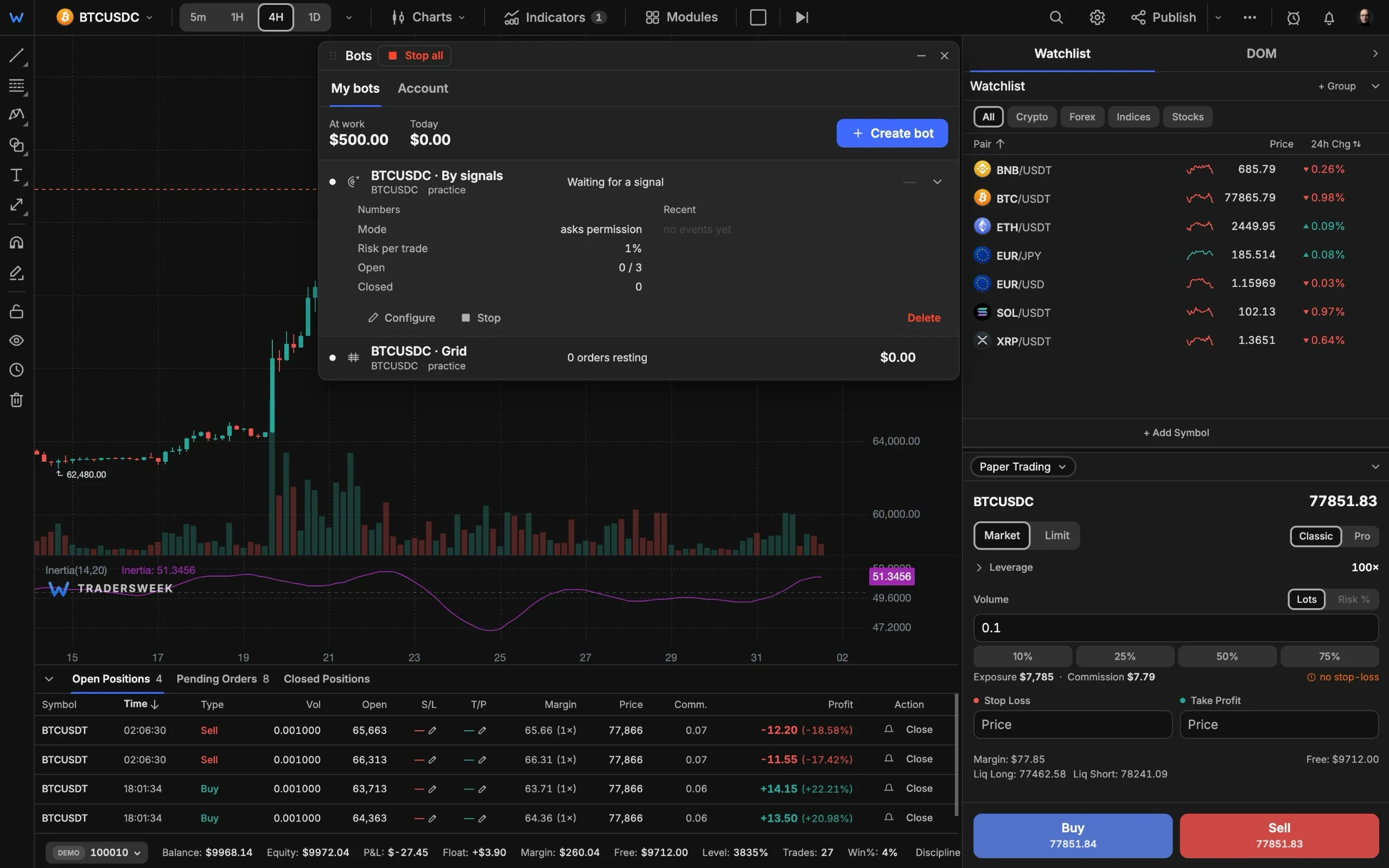
Quatro robôs assumem a espera: alertas de webhook do TradingView, sinais do scanner integrado, DCA e grades de preço. Conecte Binance, Bybit ou OKX por chave de API ou execute tudo antes na conta demo.
- Proplan
- 4bots
- Paper first, live when ready
Quatro formas de delegar a espera
Dois bots encaminham direto para a sua exchange e dois executam os motores nos nossos servidores. Os quatro podem ensaiar antes na conta demo.
Bots de webhook e de sinais
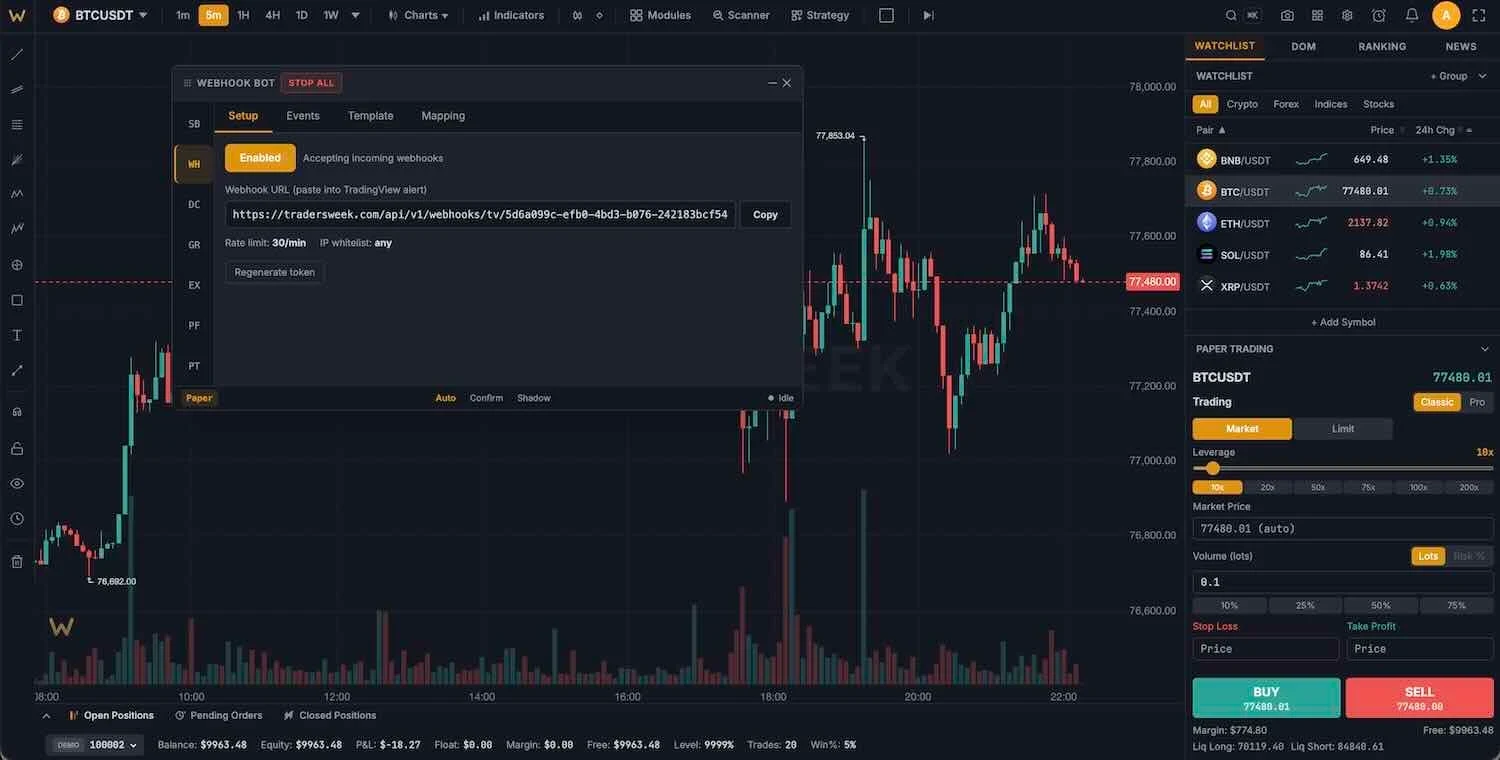
O bot de webhook transforma alertas do TradingView, 3Commas ou Cornix em ordens por meio de uma URL de token pessoal, com notificação no Telegram a cada sinal. O bot de sinais opera com o scanner integrado: 7 perfis de estratégia, uma agenda de negociação com intervalos e três modos: automático, confirmar antes da entrada ou sombra.
- Predefinições de alertas do TradingView
- Modos auto, confirmar ou sombra
- Notificações no Telegram
Bots de DCA e grid
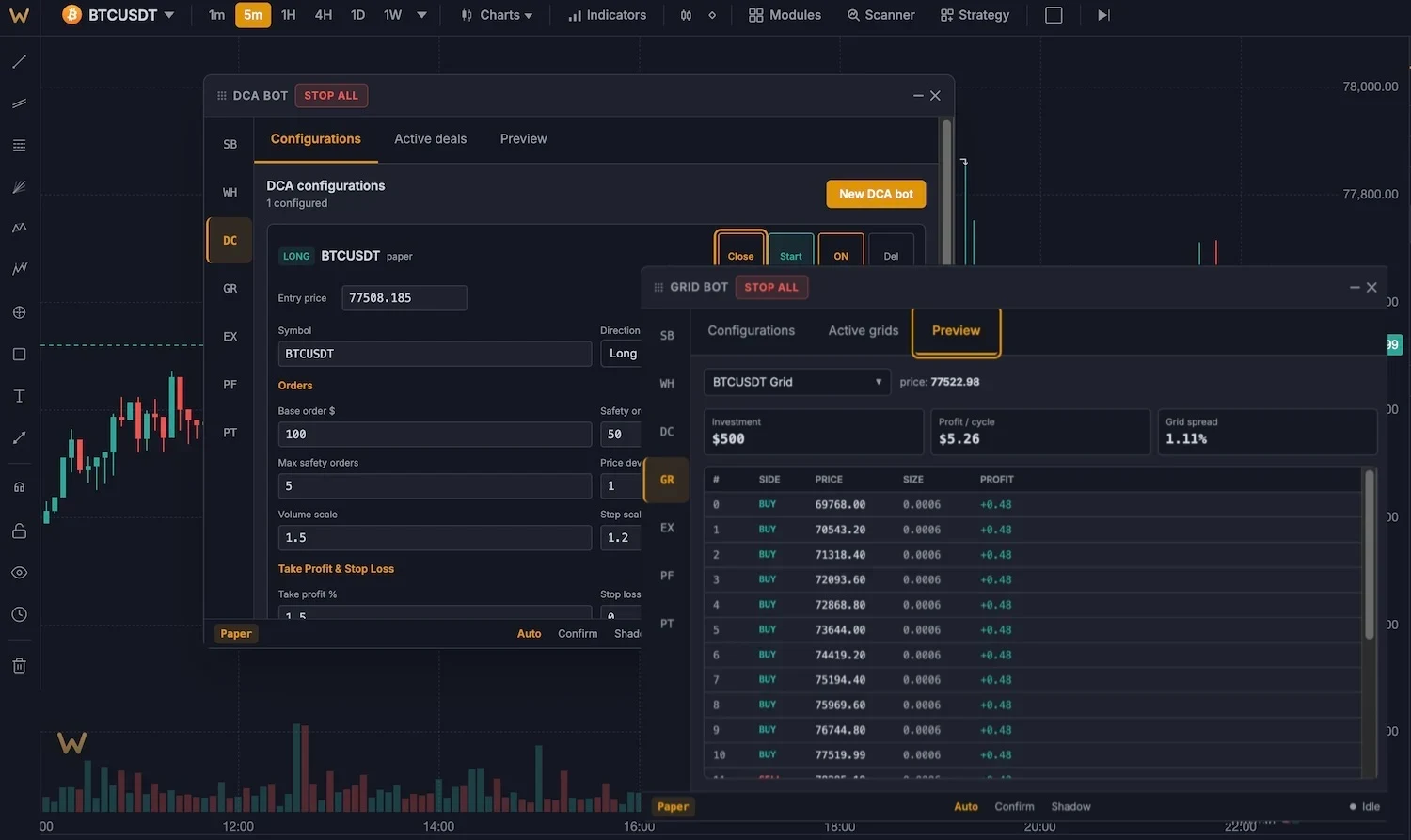
Motores do lado do servidor que continuam funcionando com o navegador fechado. DCA: até 25 ordens de segurança com passos escalonados e take-profit móvel, com fórmulas compatíveis com o 3Commas. Grid: de 5 a 200 níveis, aritmético ou geométrico, long, short ou neutro, com uma dica de ATR para o intervalo.
- 25 ordens de segurança com escalonamento
- Até 200 níveis de grid
- Funciona com o navegador fechado
bots que enviam ordens reais
Conecte Binance, Bybit ou OKX com uma chave de API. As chaves são armazenadas criptografadas (AES-256-GCM), permissões de saque nunca são necessárias e stop-loss e take-profit ficam na própria exchange.
Central de controle para todos os bots
Um painel único
Inicie, pare e monitore todos os bots, com desempenho unificado entre as exchanges.
Parada de emergência
Um clique cancela ordens em aberto e fecha posições em todas as exchanges conectadas.
Modo sombra
Execute qualquer bot na conta demo com a mesma lógica antes de deixá-lo operar na exchange.
Proteção no lado da exchange
SL e TP são colocados na exchange junto com a ordem, para que a proteção permaneça mesmo sem a sua conexão.
Limites de risco
Posições máximas, limite de perda diária e regras por operação para cada bot. Um bot por símbolo, obrigatório.
Primeiro na testnet
Chaves de testnet de exchanges funcionam, então todo o fluxo pode ser ensaiado com fundos fictícios.
Inicie um bot em três passos
- 01
Escolha um tipo de bot
Webhook, sinal, DCA ou grid no painel Bots (Ctrl+Shift+B).
- 02
Conecte ou continue na conta demo
Adicione uma chave de API de exchange para roteamento ao vivo ou mantenha tudo na conta demo de US$ 10 mil.
- 03
Comece no modo sombra
Acompanhe as decisões do bot com risco zero. Ative o modo real quando o histórico convencer você.
Ele opera com dinheiro real?
Minhas chaves de API estão seguras?
Os bots funcionam quando eu fecho o navegador?
Posso usar alertas do TradingView?
De qual plano eu preciso?
Automatize sua vantagem
Quatro tipos de bots, execução real em exchanges e modo sombra para um começo seguro. Plano Pro, US$ 30 por mês.