Le onde si contano da sole. Tu decidi cosa scambiare.
Marcatura automatica di onde impulsive e correttive su qualsiasi timeframe. Gerarchia di grado, conteggi alternativi e target cluster Fibonacci — in tempo reale sul grafico mentre il prezzo si muove.
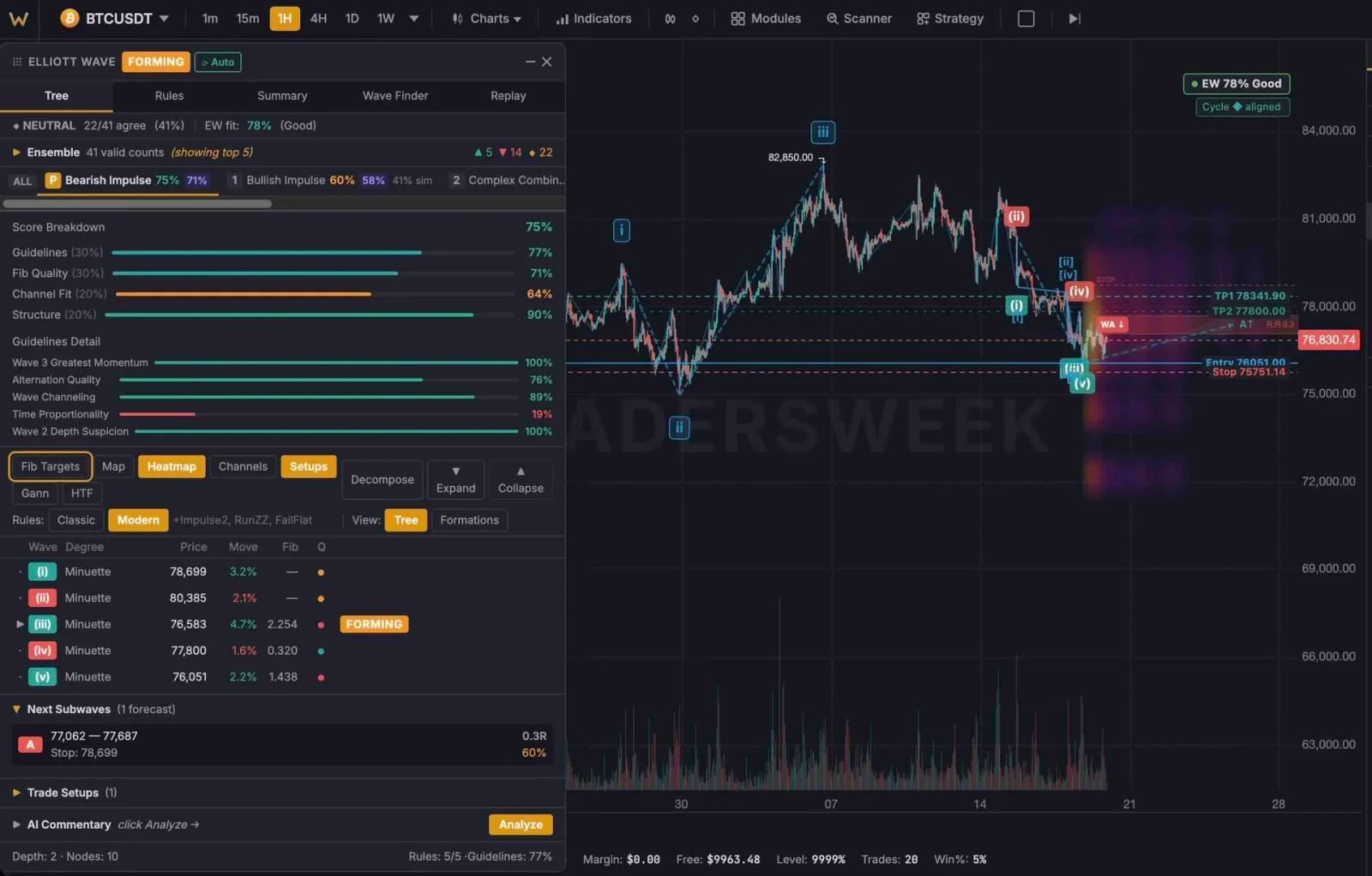
Analisi delle onde, non ipotesi
Il motore applica le regole di Elliott in modo algoritmico. Vedi il risultato, non il processo.
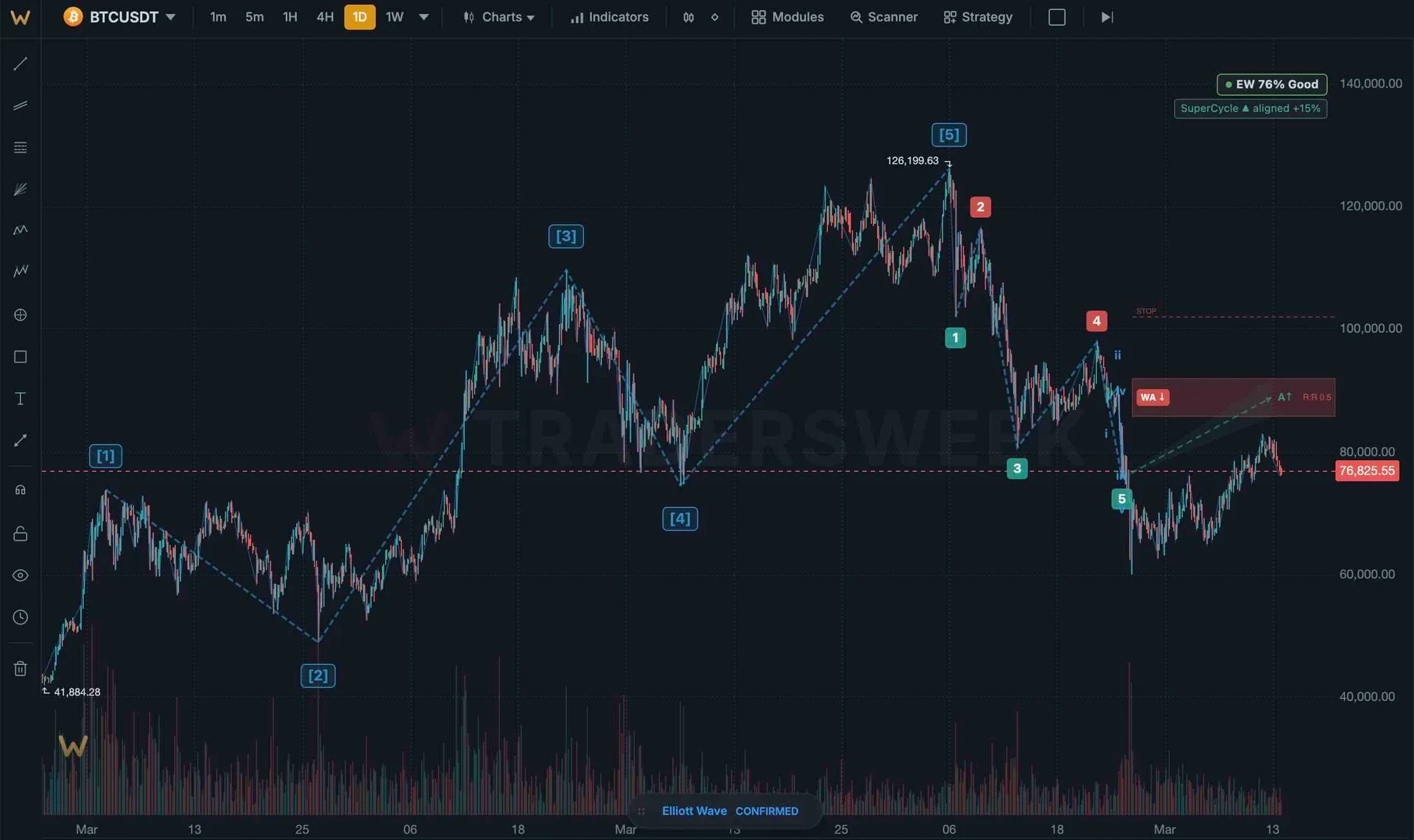
Conteggio automatico delle onde
Il motore identifica in tempo reale le strutture impulsive (1-2-3-4-5) e correttive (A-B-C). Le etichette si aggiornano con la formazione di nuove candele. Gerarchia di grado da minuette a supercycle.
- Rilevamento impulsivo e correttivo
- Etichette di grado (da minuette a supercycle)
- Aggiornamenti in tempo reale con nuovi dati di prezzo
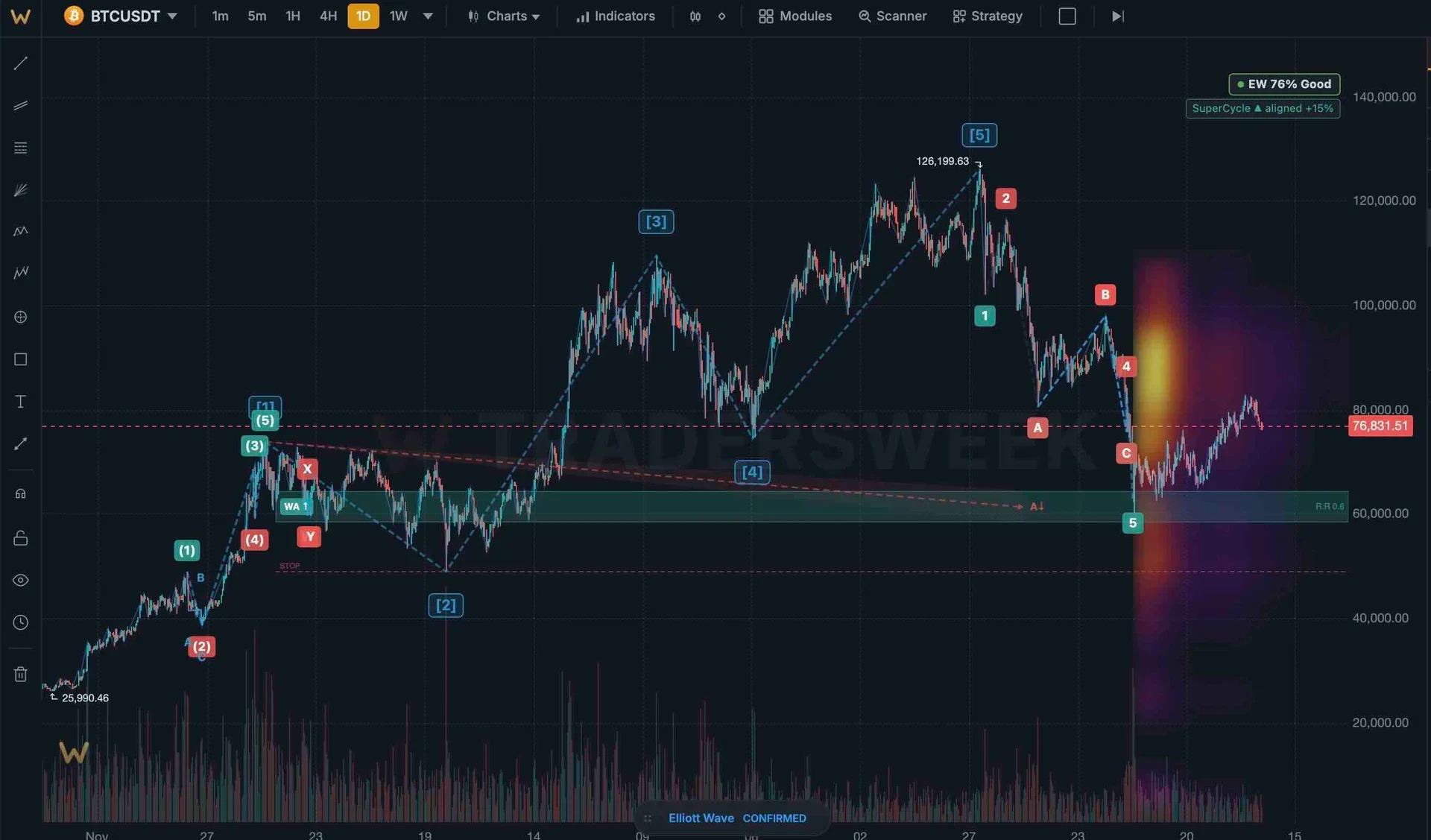
Sovrapposizioni di conteggi alternativi
Elliott Wave è probabilistico. Il motore mostra contemporaneamente conteggi primari e alternativi. Passa da uno scenario all'altro per mettere alla prova la tua tesi.
- Scenari primari e alternativi
- Classifica di probabilità
- Passaggio rapido tra scenari con un clic
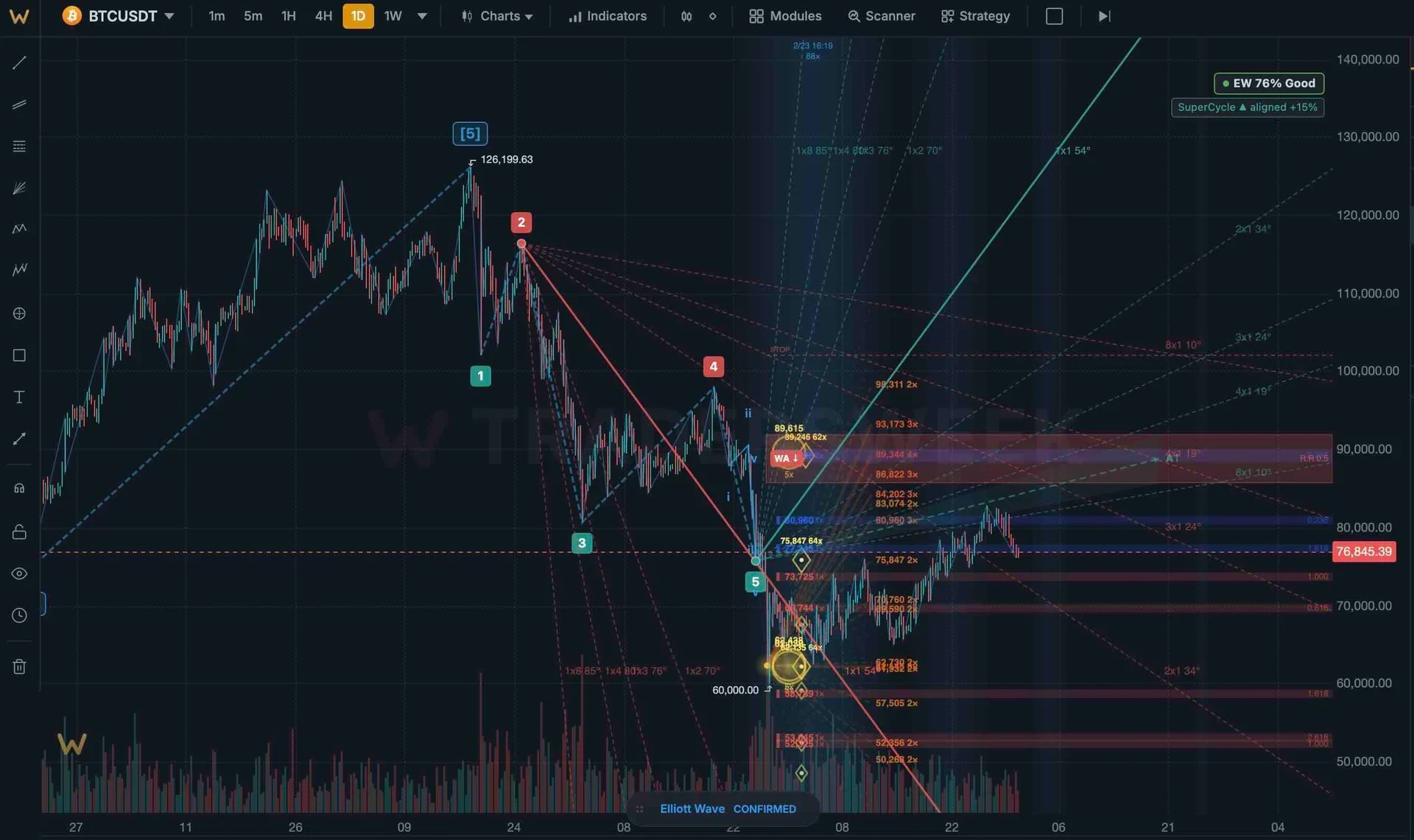
Target cluster Fibonacci
Estensioni e ritracciamenti delle onde calcolati automaticamente. Quando più livelli Fibonacci si raggruppano allo stesso prezzo, la zona target si illumina.
- Estensioni calcolate automaticamente
- Evidenziazione delle zone cluster
- Target delle onde proiettati
pattern impulsivi e correttivi rilevati automaticamente su ogni timeframe
Dallo scalping a 1 minuto alle posizioni mensili. Lo stesso motore, le stesse regole, qualsiasi orizzonte.
Toolkit completo per le onde
Annidamento multi-timeframe
Scopri come l'onda corrente si inserisce nella struttura di grado superiore. La natura frattale è visualizzata su diversi timeframe.
Validazione delle regole
L'onda 2 non può ritracciare oltre l'inizio dell'onda 1. L'onda 3 non è mai la più corta. Regole applicate, violazioni segnalate.
Integrazione scanner
Cerca l'inizio dell'onda 3, correzioni completate o confluenze di cluster Fibonacci su tutti gli strumenti.
Display personalizzato
Attiva/disattiva etichette, connettori, filtro di grado. Mostra solo il livello di dettaglio che ti serve.
Assistenza al disegno
Modalità semi-automatica: il motore suggerisce, tu confermi. Per trader che preferiscono il controllo manuale con suggerimenti algoritmici.
Riproduzione storica
Analizza le onde passate barra per barra. Studia come il conteggio si è evoluto con lo sviluppo del prezzo.
Attiva Elliott Wave
- 01
Attiva il modulo
Pannello Moduli → Elliott Wave → Attiva. Le etichette delle onde appaiono immediatamente sul grafico attivo.
- 02
Seleziona la gamma di gradi
Scegli quali gradi visualizzare: tutti, o filtra per intermedi e superiori per grafici più puliti.
- 03
Controlla le alternative
Apri il pannello delle onde per vedere i conteggi alternativi classificati per probabilità. Passa da uno scenario all'altro.
- 04
Imposta i target
Le zone dei cluster Fibonacci appaiono automaticamente. Usale come target di profitto o livelli di invalidazione.
Quanto è preciso il conteggio automatico?
Posso sovrascrivere manualmente il conteggio?
Funziona sulle criptovalute?
Di quale tier ho bisogno?
Lascia che le onde si contino da sole
Impulsive, correttive, alternative, cluster Fibonacci — tutto automatizzato, tutto in tempo reale.