Ne restez plus devant le graphique à attendre votre niveau.
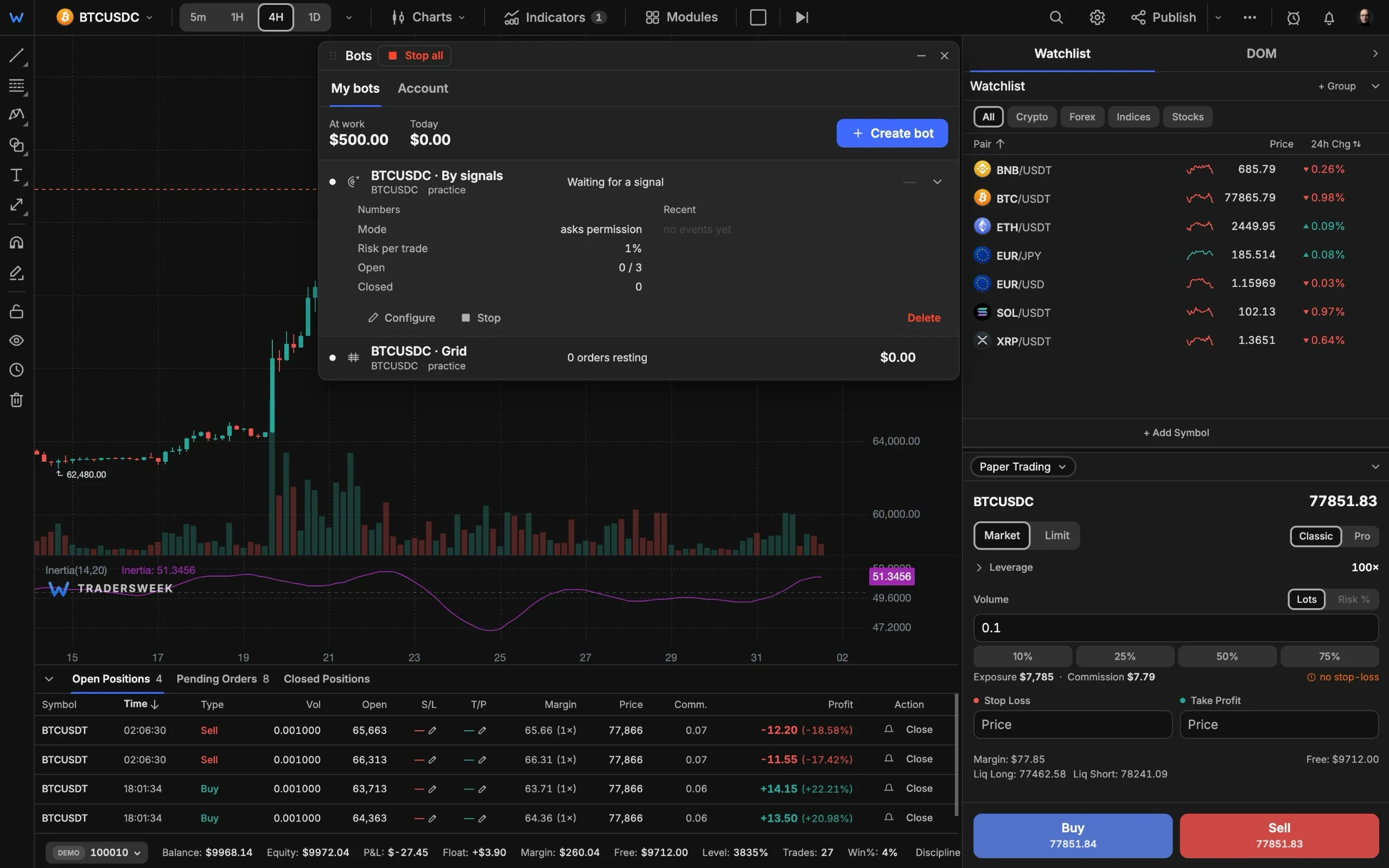
Quatre robots prennent le relais de l'attente : alertes webhook depuis TradingView, signaux du scanner intégré, moyenne DCA et échelles de grille. Connectez Binance, Bybit ou OKX via une clé API, ou testez d'abord tout sur votre compte papier.
- Proplan
- 4bots
- Paper first, live when ready
Quatre façons de vous libérer de l'attente
Deux robots routent directement vers votre exchange, deux exécutent les moteurs sur nos serveurs. Tous les quatre peuvent d'abord s'entraîner en mode papier.
Robots webhook et signal
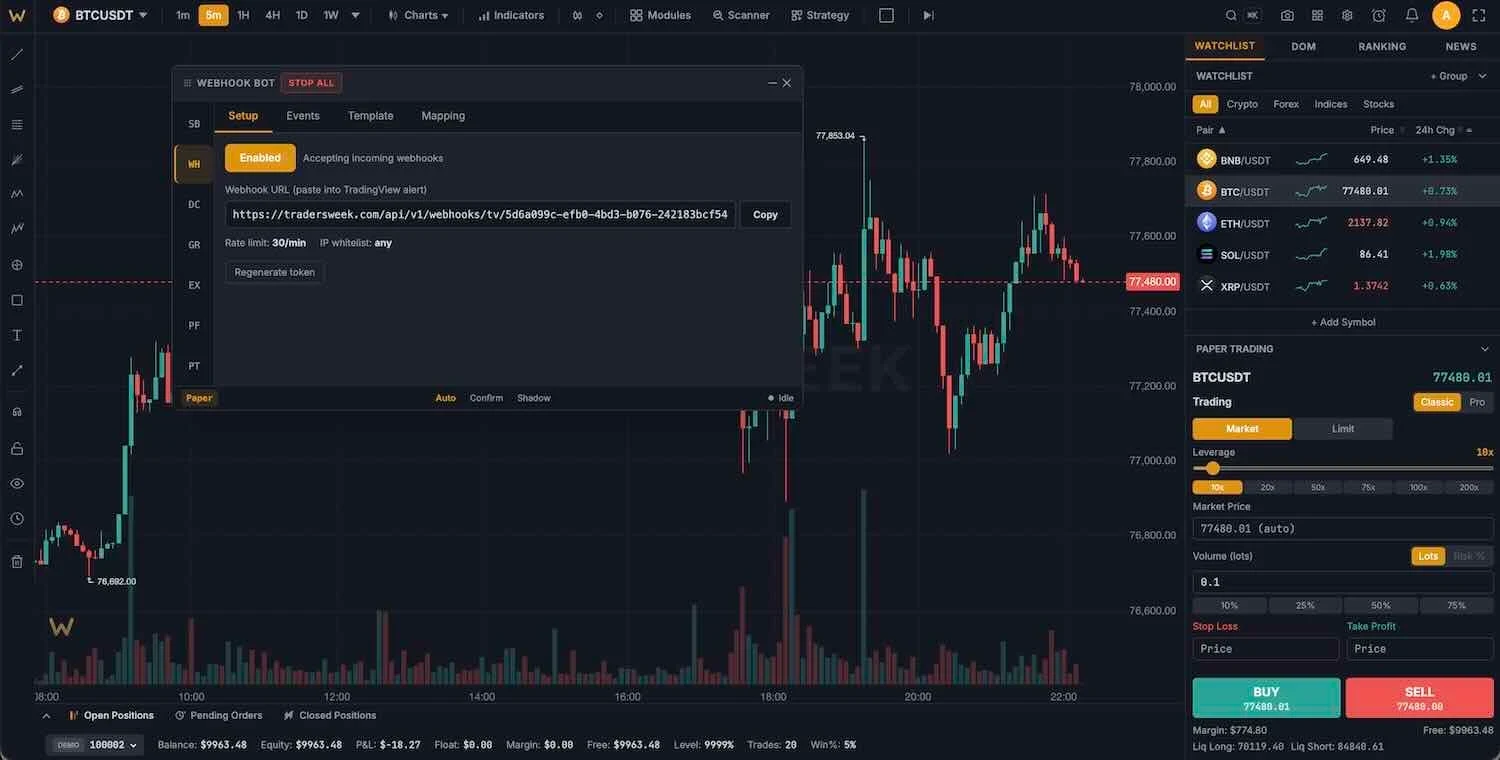
Le robot webhook transforme les alertes TradingView, 3Commas ou Cornix en ordres via une URL à jeton personnel, avec une notification Telegram à chaque signal. Le robot signal négocie le scanner intégré : 7 profils de stratégie, un planning de trading avec des délais de sécurité et trois modes : auto, confirmation avant l'entrée ou shadow.
- Préréglages d'alertes TradingView
- Modes auto, confirmation ou shadow
- Notifications Telegram
Robots DCA et grille
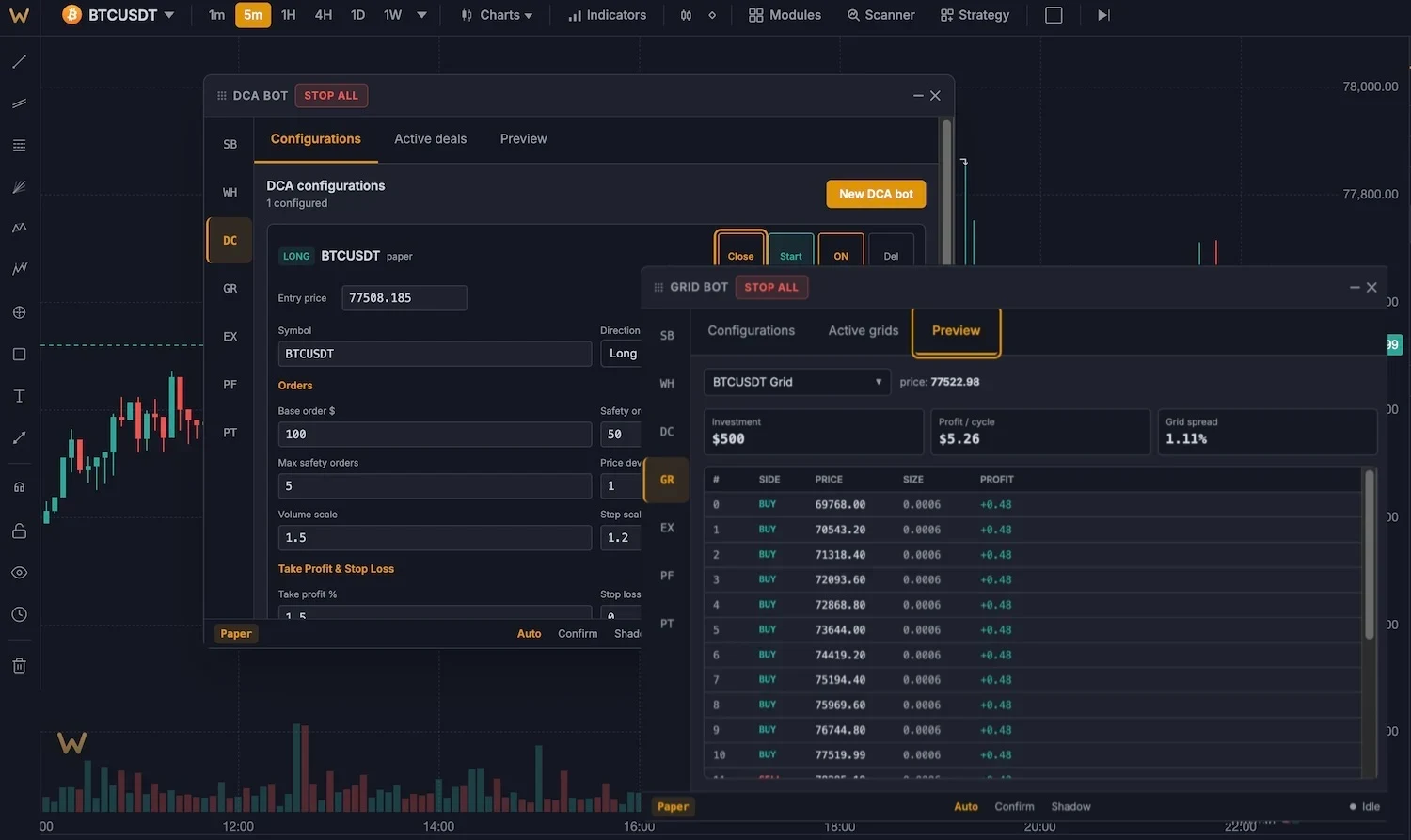
Moteurs côté serveur qui continuent de fonctionner même navigateur fermé. DCA : jusqu'à 25 ordres de sécurité avec paliers croissants et un take-profit suiveur, formules compatibles avec 3Commas. Grille : 5 à 200 niveaux, arithmétiques ou géométriques, long, short ou neutre, avec une indication ATR pour la plage.
- 25 ordres de sécurité échelonnés
- Jusqu'à 200 niveaux de grille
- Fonctionne même navigateur fermé
des robots qui placent de vrais ordres
Connectez Binance, Bybit ou OKX avec une clé API. Les clés sont stockées chiffrées (AES-256-GCM), les autorisations de retrait ne sont jamais requises, et le stop-loss et le take-profit sont placés sur l'exchange lui-même.
Centre de contrôle pour tous les robots
Un seul tableau de bord
Démarrez, arrêtez et suivez chaque robot, avec des performances unifiées sur tous les exchanges.
Arrêt d'urgence
Un clic annule les ordres ouverts et clôture les positions sur tous les exchanges connectés.
Mode shadow
Exécutez n'importe quel robot en mode papier avec la même logique avant de le laisser intervenir sur l'exchange.
Protection côté exchange
Les SL et TP sont placés sur l'exchange avec l'ordre, pour que la protection survive à votre connexion.
Limites de risque
Positions max, limite de perte quotidienne et règles par opération pour chaque robot. Un robot par symbole, strictement appliqué.
Testnet d'abord
Les clés testnet d'exchange fonctionnent, vous pouvez donc répéter tout le flux avec des fonds fictifs.
Lancez un robot en trois étapes
- 01
Choisissez un type de robot
Webhook, signal, DCA ou grille dans le panneau Bots (Ctrl+Shift+B).
- 02
Connectez-vous ou restez en mode papier
Ajoutez une clé API d'exchange pour un routage réel, ou gardez tout sur le compte papier de 10 000 $.
- 03
Démarrez en mode shadow
Observez les décisions du robot sans aucun risque. Passez en réel lorsque le journal vous convainc.
Est-ce qu'il négocie de l'argent réel ?
Mes clés API sont-elles en sécurité ?
Les robots fonctionnent-ils lorsque je ferme le navigateur ?
Puis-je utiliser les alertes TradingView ?
De quel plan ai-je besoin ?
Automatisez votre avantage
Quatre types de robots, exécution réelle sur les exchanges, mode shadow pour démarrer en sécurité. Plan Pro, 30 $ par mois.